Classroom Tech Tips

June 21, 2008

My wordle…

Filed under: Uncategorized — Donna DesRoches @ 10:26 pm
Tags:

May 30, 2008

The potential folly of laptop programs

Filed under: Uncategorized — Donna DesRoches @ 9:51 pm

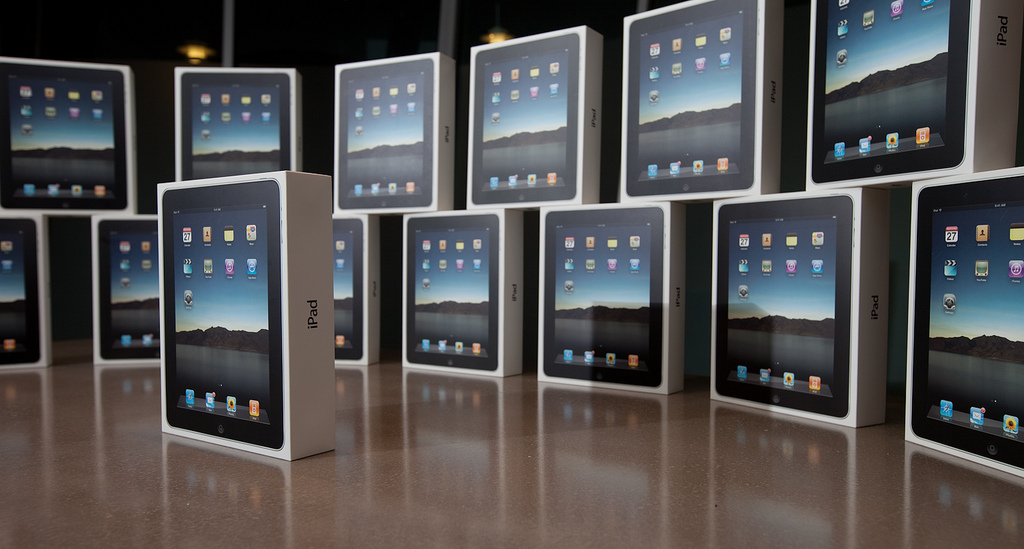
Next year our school division plans to implement a laptop program - nowhere near a 1:1 but we are putting a 15 - 20 set of laptops in each school in the division that wishes to participate in the program. I must admit that I approach this project with some trepidation. Are our teachers ready? Will the laptops be used for authentic, meaningful learning or will they simply be used to do old things in new ways? Have we provided opportunities for professional development that will ensure the technology is used to meet our students’ 21st Century learning needs?

Clay Burrell’s post, An Old Prophecy Confirmed? On the Uses and Abuses of Laptop Learning echoed some of my concerns as he quoted from a student post that speaks to the ‘coolness’ factor of their school’s 1:1 laptop program.

I’ve had too many teachers assign us to “make an iMovie” for this and that. I had to make an iMovie for my World Geography class and Asian Studies class. I was surprised when even my Spanish teacher told me to make an iMovie. It is obvious [our school] is trying too hard…to look cool.

The student goes on to describe a class where he feels the laptop has been used for real learning:

We use our MacBooks to interact with people from all over the world, and learn how to write for [a] true audience. Not just that, we learn how to accomplish stuff through networking and meeting new cool people.

While the MacBooks in the Writing Seminar classroom are shining, the other MacBooks in other classrooms are crying. They say, “what the hell am I doing here?”

Clay’s final comments on his student’s post are well worth keeping in mind as we begin our foray into student laptop computing:

Younsuk’s mention that Macbooks help learning by allowing students to connect and network with the world is something no teacher or administrator is going to understand without doing it. It’s 20th century education with a shiny bell and whistle otherwise. Just a new way to turn in homework. The immigrants in power will think it’s cutting edge, but the students will think otherwise.

It is so important that teachers understand that student use of laptops is about connecting, communicating, collaborating and creating. And yes, I do believe that in our school division we are moving in such a direction.

We are definitely more ready than we would have been a year ago for this student laptop initiative. I work with an excellent team of teachers who go way beyond providing ’sit and get’ professional development for their teachers - hands-on, one-to-one, just-in-time, mentoring, and meaningful staff collaboration and other forms of ‘differentiated instruction’ will help our teachers ensure that we just don’t look cool but are providing meaningful learning opportunities for their students.

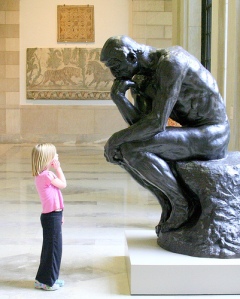
Photo - http://flickr.com/photos/21577468@N03/

May 9, 2008

Blogging and Reading Comprehension Strategies

Filed under: blogging — Donna DesRoches @ 9:10 pm
Tags: , ,

In a WizIQ seminar a conversation about blog comments recently took place with several teachers in my school division and Kelly Christopherson. Teachers said comments that indicated an understanding of their key ideas, provided a quality critique, or shared a similar learning or action extended their own understanding and learning.

Many students within our school division are now blogging as part of their daily classroom activities. As teachers have become more comfortable with the online writing format they want to extend the audience and the conversations for their students first by encouraging them to comment on classmates’ writing and then by finding other classrooms that their students can connect, write and share their learning.

While they recognize the value that commenting brings to the blogging process many teachers struggle to explain and teach students how to make meaningful comments on others’ writing.

An ahah moment occurred one day when I was working in a teacher’s classroom and saw a number of posters on Reading Comprehension Strategies on her wall. I then had a conversation with the Language and Literacy Consultant who also became quite excited at how reading and commenting on the blog posts of their peers could enhance student utilization of the reading comprehension strategies. She suggested that teachers could help primary and early bloggers use the reading comprehension strategies by choosing one strategy and having the whole class use that strategy to comment on their classmates’ posts.

Having students use the reading comprehension strategies to comment helps them to avoid words like nice, good and interesting in their comments.

Students, especially primary and students new to blogging can use sentence frames to…

Make Connections – e.g. after reading a blog about a puppy students use a sentence starter “this reminds me of when my puppy did….”

Question – asking questions that use starters such as, “I didn’t understand this…” “I wonder what…”

Other reading comprehension strategies can be used to respond to student blog posts:

Visualization – if an entry supports visualization – have the student draw a picture and then describe it.

Infer – (for older students) – look for inferences that the writer makes – e.g. if the blogger writes with passion – comment on the evidence that allows them to make the inference or “I see that you have lots of knowledge about this topic” and again provide the evidence.

Synthesize – paraphrase - transfer the statement from the blog into their world – “what you said makes me think about this idea in my world - how this applies to me”.

Blogging is a great communication tool but it is the use of effective commenting skills that will extend and engage global conversations for our students.

April 27, 2008

CD Cover Meme

Filed under: Digital Storytelling, digital photography — Donna DesRoches @ 1:14 am
Tags: ,

I came across this great meme idea today that I decided would be the first that I would do and ask others to respond. You follow three simple rules and using your favourite image editing program create a CD cover.

The rules are:

1. http://en.wikipedia.org/wiki/Special:Random
The first article title on the page is the name of your band.

2. http://www.quotationspage.com/random.php3
The last four words of the very last quote is the title of your album.

3. http://www.flickr.com/explore/interesting/7days/
The third picture, no matter what it is, will be your album cover.

Here is my attempt:

You will find other far more creative covers at the Flickr group for CD covers. Once you have tried it ask your students to as well!

I was going to name some specific bloggers to contribute to the theme but instead I challenge and look forward to seeing CD covers from our school division’s in-school instructional technology support committee.

April 19, 2008

Creating Critical Consumers

Filed under: Professional Development, Social Networking — Donna DesRoches @ 11:24 pm
Tags: ,

Alec Couros was back in our school division this week. Our administrators arranged quite an intensive schedule for him and he spoke to students from grade 2 – 12, to teachers and to parents.

I had an opportunity to hear one of the presentations he made to parents and two things struck me in his comments. The first was that because the technology is not going to go away, we - parents and teachers - need to immerse ourselves in the technology so that we understand it and provide the guidance that kids need to use it wisely and ethically. If we don’t they will learn from each other – not always a bad thing – but parents and teachers can provide the foundation in social ethics that is often missing when students teach each other.

The second thing that struck me in Alec’s talk was the need to not only ensure that our students/children are critical consumers of information but that they are also critical producers.

I started to think of what this entails and generated a brainstormed list of what I thought students need to know to be critical producers:

  1. Knowing audience – where to post information (e.g. YouTube, GoogleVideo, FaceBook)
  2. Reading and understanding the ‘terms of service’ agreements posted post on social networking sites
  3. Providing attribution for other’s work/ideas used in the creation of a product
  4. Licensing one’s own work and providing terms for its use
  5. Knowing what personal information is necessary to create an online presence but also recognizing that certain information should not be shared
  6. Using appropriately the privacy settings on social networking sites where one’s work is posted and shared
  7. Respecting the rights and wishes of others to not have pictures or video of themselves posted online.
  8. Using photos and video of others with their permission
  9. Portraying other people in positive ways and not in ways that are hurtful or harmful.

What have I missed?

I also believe that these skills must be taught as students create and post their products online. This is not a separate information/technology literacy skill but an integral component of student production and should be built into the lessons and instructional strategies that we use

April 11, 2008

Done!

Filed under: Professional Development — Donna DesRoches @ 10:25 pm

Yes, it’s done! On Saturday I presented my Master’s project to colleagues, classmates and faculty at the University of Saskatchewan. A classmate took these photos and when I look at them it seems that I am having fun! And, yes it was quite enjoyable. I realized as I spoke how important the topic of information literacy is to me and how I hope to share my enthusiasm with the teachers with whom I work.

My prof, Rick Schwier, ustreamed the presentations and it was interesting to receive feedback from friends and colleagues around North America.

My project, Teaching for Information Literacy, is a collection of resources to help teachers understand the concept of information literacy and to begin the process of implementing an information literacy program in their school.

One of the most important things for me to convey was the concept of moving beyond topical research to using an inquiry approach to engage students in the process of uncovering knowledge to create their own understandings. I did this by creating a video, Re/Search Re/Mixed, (with a great deal of assistance from my office mate, the Arts Education Consultant, Sherron Burns).

I also created a series of tutorials to help teachers use the resources available from the Ministry of Education and how to make the resources more accessible to staff and students by linking to individual databases and articles, using the rss feature available in Gale Infotrac and inserting a ProQuest widget on a blog or wiki page.

The portal also encompasses technology, especially new and emerging technologies as an essential component of information literacy. For example, social bookmarking is a tool that can be used at many stages of the research process to categorize, organize, annotate and share resources. Online mind-mapping and brainstorming tools allow students to continue their work outside of school as well as the ability to collaborate and share.

One of the most interesting questions that came from the audience after my presentation was, “can you give a specific example of how information literacy has changed”? My response was to share how little I now use a search engine since the growth of my personal learning network - my twitter friends, my del.icio.us network and the blogs that I read via my bloglines account. Information can now come to me - and I need the skills to be able to create the PLN that will bring me the information I need and the ability to filter the information.

The times they are a changin’ - are we ready?

n

n

April 10, 2008

National Congress on Rural Education

Filed under: Conferences, Professional Development — Donna DesRoches @ 5:04 pm

This week Living Sky School Division had two different forms of representation at the National Congress on Rural Education in Saskatoon.

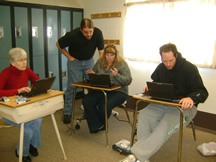
hpim0236.jpgI, along with Jim Ellis and Byrna Luyben-Cronk, did a presentation on the Living Sky Professional Laptop program. Although our audience was small our presentation was well received especially by our Assistant Director.

Our professional laptop program is based on division -wide committees: In-school Instructional Technology Support, Arts Education, Early Literacy and ELA Inquiry.

Jim represented the Inquiry and In-school Instructional Technology Support Committee. Byrna is also a member of the In-school Instructional Technology Support Committee and she represented the Arts Education Committee. Unfortunately we were unable to have representation for the Early Literacy Committee. However, we were provided with a number of invaluable quotes from the committee members one of which I have included below. The others became a part of of our slide presentation.

We are efficient with the laptops during the meetings. In past committee work, we had you typing while we were running for print materials and flipping pages. Now we can all be international travellers through the internet accessing the information at our fingertips. Also, it has given me a tool to help colleagues when they say that they have a need. I was able to share web sites for activities from our committee with a teacher. I think it has made me more aware of and comfortable with technology-using photos and programs. I am gaining the confidence to help others play with these programs

Living Sky School Division was also represented at the Congress by students from McLurg High School who provided e-journalism services to its participants. These students worked diligently to provide a daily newsletter, video reporting and a blog to inform participants about congress events. They were a highly organized team coordinated by their Information Processing and English teachers. These teachers have a strong believe in authentic learning and this was an ideal opportunity for students to experience the tension and the thrill of meeting press deadlines, interviewing prominent individuals and speaking to the public. They handled this e-journalism experience as true professionals! Kudos to the students of McLurg High School!

March 28, 2008

ClipArt

Filed under: Uncategorized — Donna DesRoches @ 2:27 am

Somehow I came across the great clipart site, WP Clipart, which I have found incredibly useful. As it states on the frontpicture-4.png page,

WPClipart is a collection of high-quality public domain images specifically tailored for use in word processors and optimized for printing on home/small office inkjet printers. There are thousands of color graphic clips as well as illustrations, photographs and black and white line art.

Except for a few “fair use” items — namely company logos (like the company name on a credit card) or recognizable products (like a particular model cell phone) — all the rest of the images are Public Domain.

There are many, many images in nicely categorized directories which are easily searched from a search box on each page.

Cyber-safety: A WebQuest

Filed under: Digital Citizenship, Safety — Donna DesRoches @ 2:15 am
Tags: ,

computersurfer1.gifAttention all students! The Committee Against Kids Using Computers (CAKUC) has determined that the Internet is too dangerous for children. They want to outlaw the use of computers for all children under the age of 12.

So begins the WebQuest, Safely Surfing Cyberspace, that starts grade 3 - 5 students on a quest to find out how to be safe online. Using the WebQuest format of introduction, task, process, resources, evaluation and conclusion the students end the quest by creating a multimedia production to teach others how to stay safe online.

Museums and SmartBoards

Filed under: Interactive Whiteboards — Donna DesRoches @ 1:37 am
Tags: , ,

hpim0227.jpgI just spent a great morning with Dean Bauche, the curator of the Allen Sapp Gallery. He demonstrated some of the programs that he and his staff have developed using Smart Technologies. It was quite astounding to see how he teaches the concepts of limitation, composition, balance, etc by deconstructing the works of Allen Sapp using the Smart Board. I believe that he is on the cutting edge of how this technology can be used. We had a long discussion debating the merits of Smart Boards in multi-purpose rooms and the ease with which teachers will learn and apply several applications to create a Smart Board program. I appreciate his knowledge and willingness to work with teachers and look forward to an extended partnership.

Next Page »

Blog at WordPress.com.